If you need assistance, you can submit a support ticket using one of the following methods:
Before submitting a ticket, ensure you're reaching out to the correct department, note that there are 2 ways to contact us. You can do it over email or use the customer's portal.
Support: For technical issues, troubleshooting, and general assistance, email support@support.nubius.io.
Billing: For invoice inquiries, payment issues, or billing concerns, email billing@support.nubius.io.
Sales: For pricing, new services, or product recommendations, email sales@support.nubius.io.
Important: When contacting support or billing, the email must be sent from the registered owner email or an approved subaccount/contact to ensure proper ticket creation.
Log in to the Nubius Customer Portal.
Navigate to Support → Open Ticket.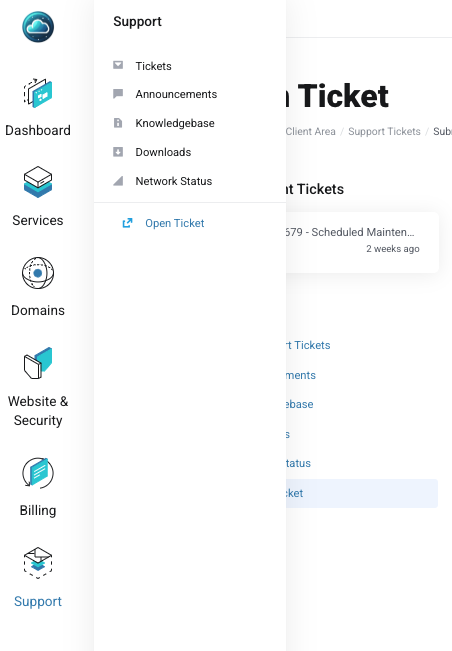
Choose the appropriate department (Support, Billing, or Sales).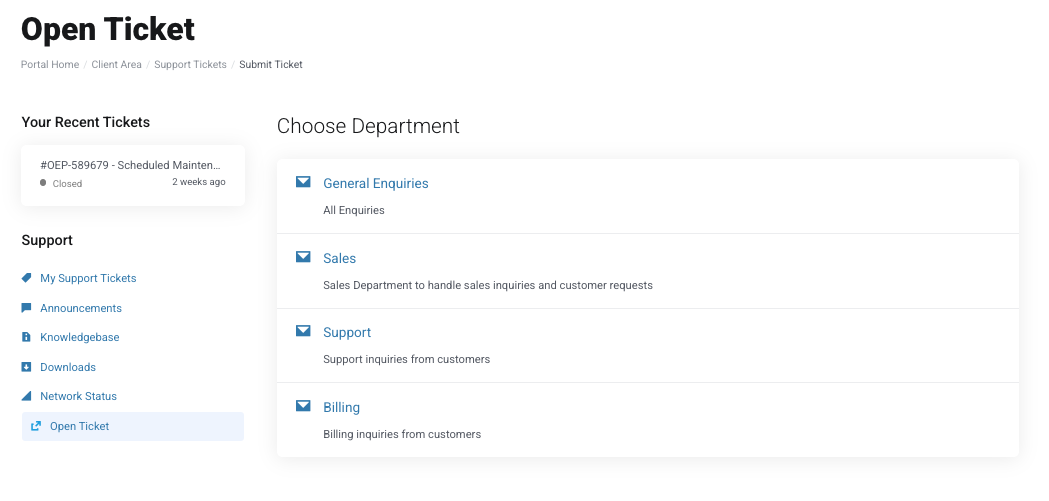
Enter the ticket details:
Select the related service (if applicable).
Provide a clear subject.
In the message field, include detailed information about the issue, steps to reproduce, and any relevant details.
Attach any necessary files to support your request.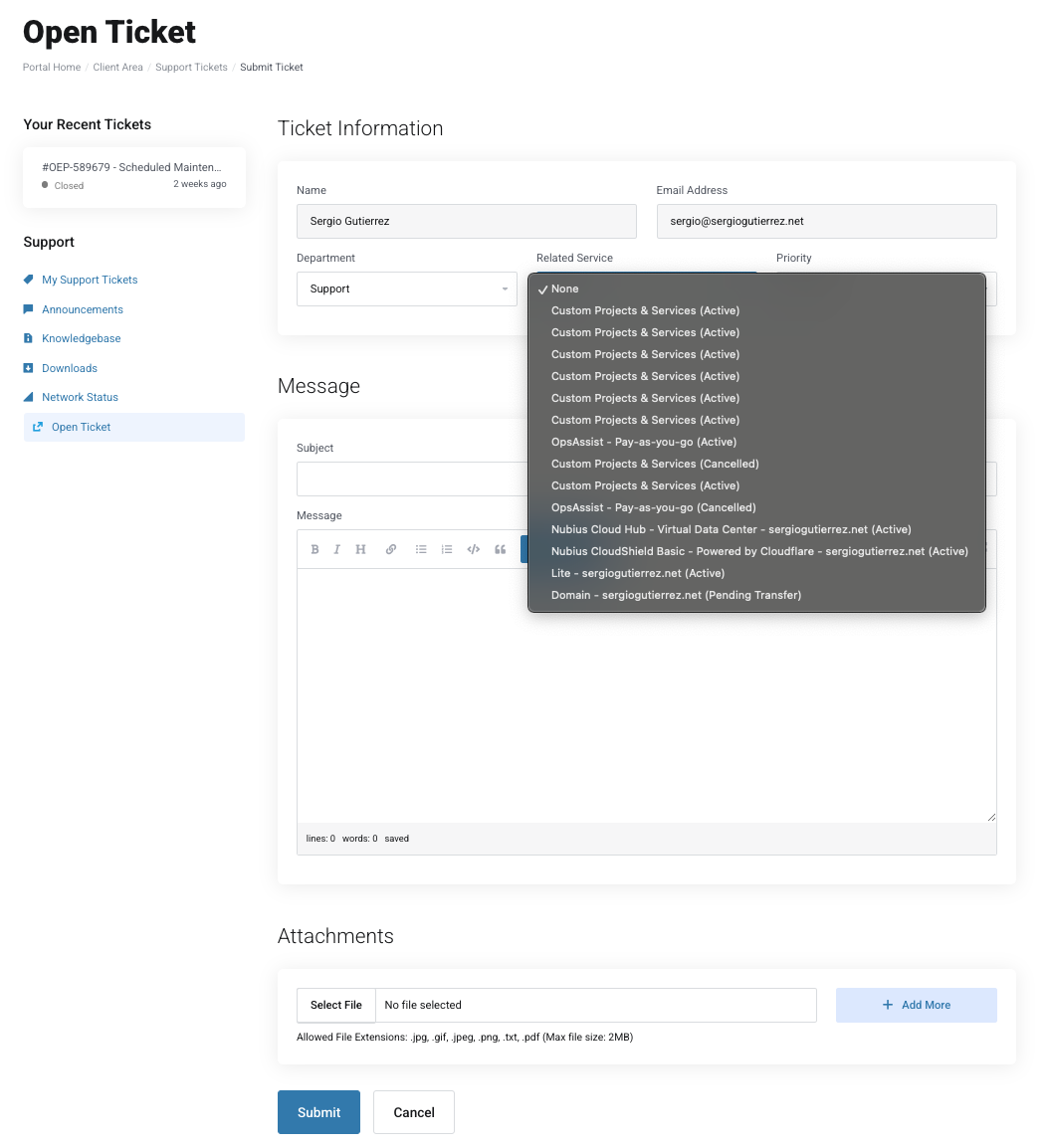
Click Submit to create your support ticket.
For response times, please review our Service Level Agreement (SLA): SLA Details.