This guide explains how to configure Exim4 on an Ubuntu/Debian server provisioned via the ISPmanager template from Vultr, so that it integrates correctly with SpamExperts (N-able) for incoming filtering. The goal is to avoid mail loops and ensure clean mail flow:
Sender → SpamExperts (filtering) → Exim4 (VM with ISPmanager).
Point your domain’s MX records to SpamExperts:
mx.spamexperts.com
fallbackmx.spamexperts.eu
lastmx.spamexperts.net
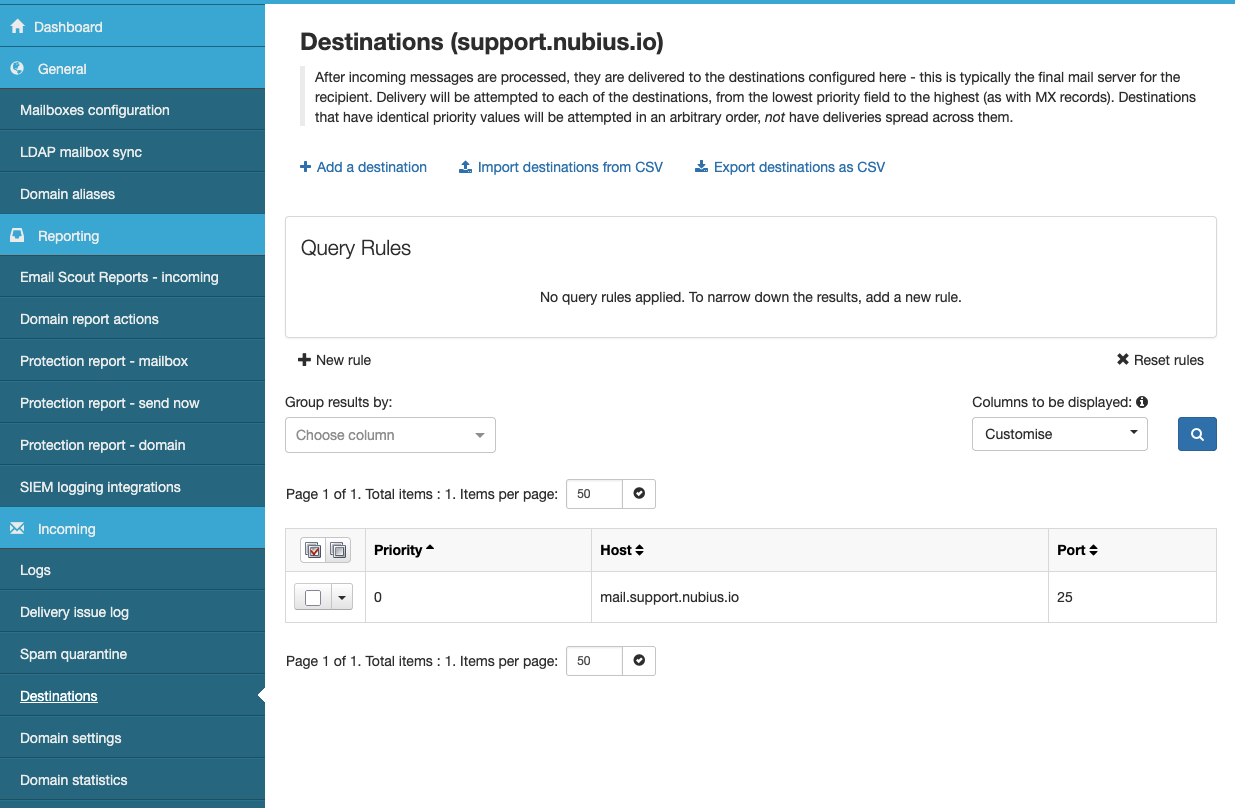
In the SpamExperts control panel, configure your Destination Host(s) to the public IP or FQDN of your Vultr VM running ISPmanager. (i.e. mail.domain.com)
When you deploy ISPmanager from Vultr, Exim4 is preconfigured but usually in local mode, which does not accept external SMTP and will create loops with SpamExperts.
Edit /etc/exim4/update-exim4.conf.conf and set:
dc_eximconfig_configtype='internet'
dc_other_hostnames='yourdomain.com; mail.yourdomain.com'
dc_local_interfaces='0.0.0.0'
Then apply and restart:
sudo update-exim4.conf
sudo systemctl restart exim4
This ensures Exim listens on IPv4 and knows which domains are local.
By default, the ISPmanager Exim template has dnslookup first. This causes mail addressed to your own domains to be sent back out to SpamExperts, creating a loop. We must ensure aliases and local domains are accepted first, otherwise, forward rules would not work.
Edit /etc/exim4/exim4.conf.template and structure the routers like this and change the local_domains section that by default the driver is set to redirect, it neds to be accept. You may replace the section with the following:
begin routers
  # ALIASES: Forwarding and alias resolution before local delivery
  aliases:
    driver = redirect
    data = ${extract{1}{:}{${lookup{$local_part@${utf8_domain_to_alabel:$domain}}lsearch{/etc/exim4/aliases}}}}
    condition = ${if exists{/etc/exim4/aliases} {yes} {no} }
    pipe_transport = address_pipe
  # Local delivery for your protected domains
  local_domains:
    driver = accept
    condition = ${lookup{$local_part@${utf8_domain_to_alabel:$domain}}lsearch{/etc/exim4/passwd}{yes}{no}}
    transport = local_delivery
    cannot_route_message = Unknown user

  # Remote delivery (everything else)
  dnslookup:
    driver = dnslookup
    domains = !+dummy_domains
    transport = remote_smtp
    ignore_target_hosts = 0.0.0.0 : 127.0.0.0/8
    self = pass
Make sure local_domains is defined before dnslookup.
Test routing with:
exim -bt user@yourdomain.com
Expected:
user@yourdomain.com
  router = local_domains, transport = local_delivery
Check Exim logs during actual delivery:
tail -f /var/log/exim4/mainlog
You should see mail arriving from SpamExperts and being delivered locally, not sent back out.
Always list your protected domains in dc_other_hostnames.
Place local routers before dnslookup to prevent loops.
Use SpamExperts incoming MX only for inbound.
Set up SPF/DKIM for your domain to prevent rejections by Gmail and other providers.
With this setup:
MX points to SpamExperts
SpamExperts forwards clean mail to your Vultr VM (ISPmanager)
Exim accepts and delivers mail locally
This configuration prevents loops and ensures reliable filtering + delivery.