Go to Services → My Services.
Select Nubius CloudShield.
If you got only one domain, you will see a Manage Cloudflare button. If you got multiple domains, you will see a section for the domains and a gear icon next to it for managing Cloudflare.
Only One domain View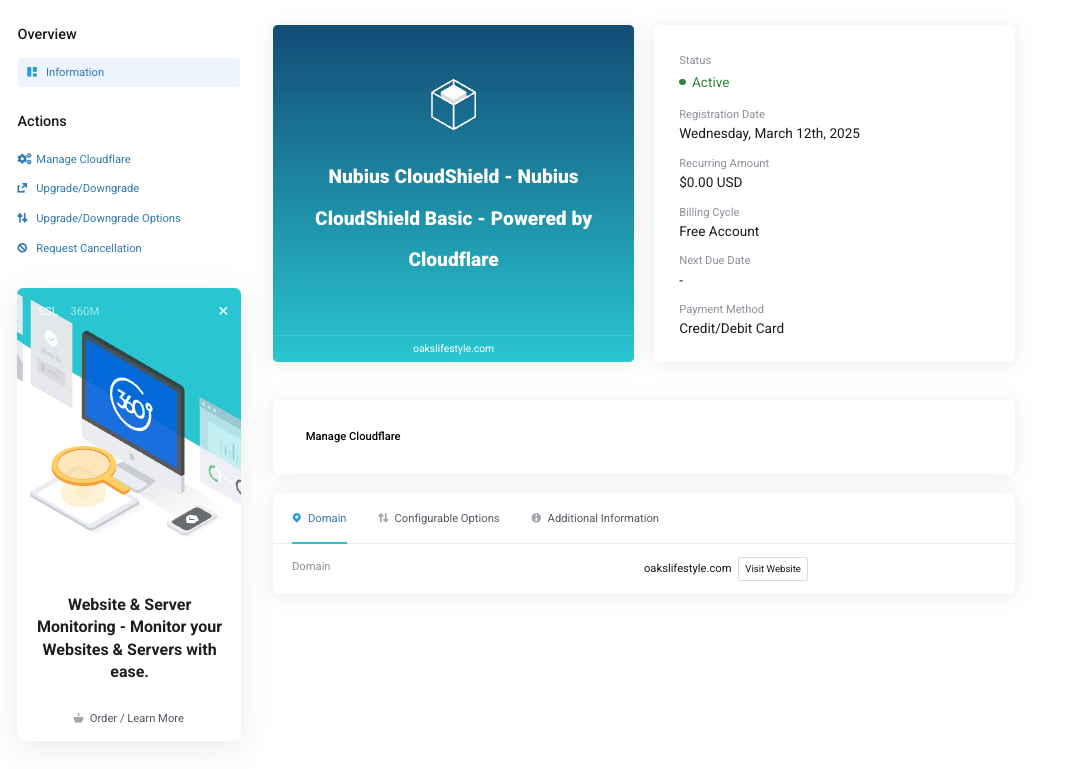
Multiple Domains View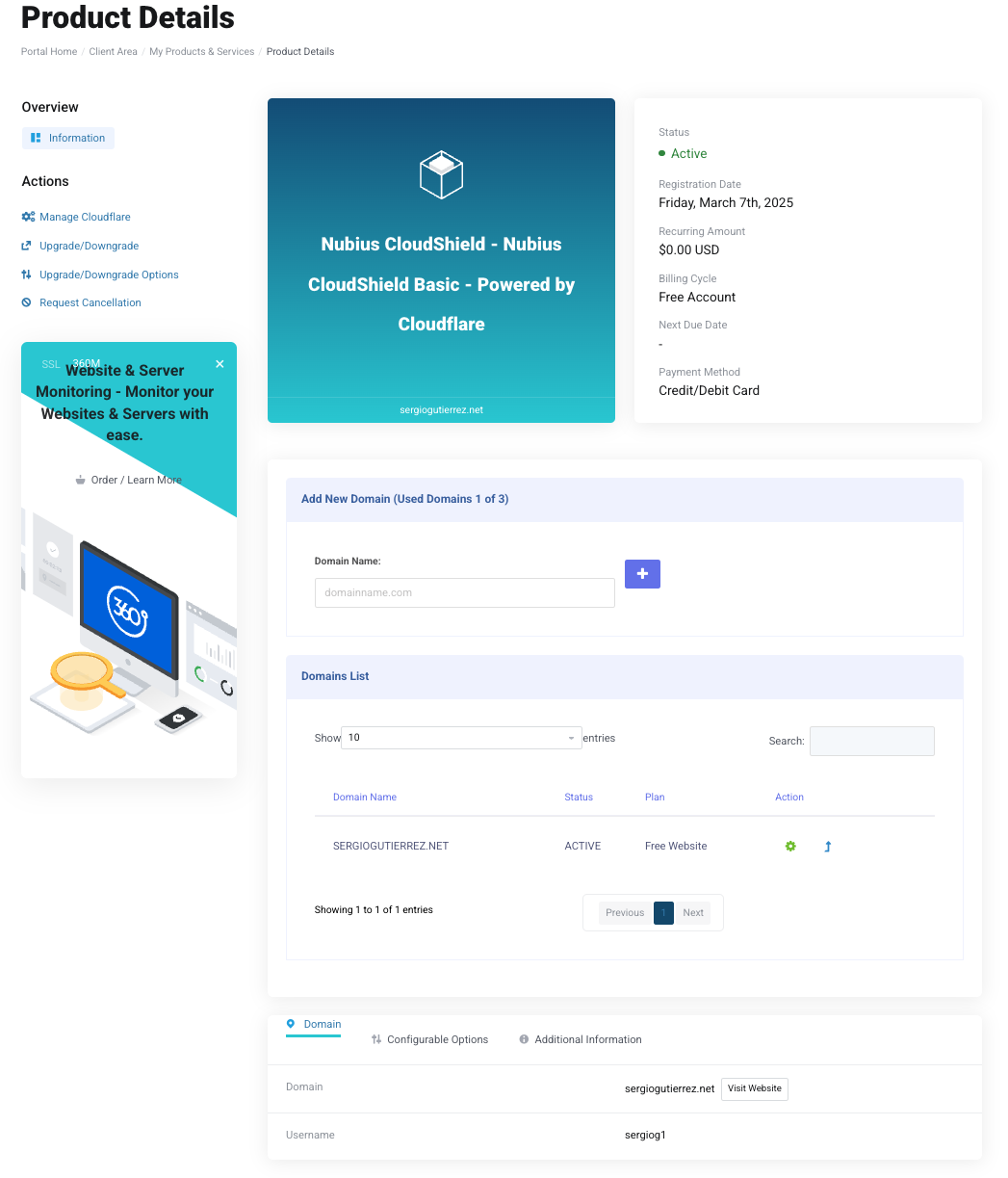
If your name servers are not updated, you will see a message with the original and new Cloudflare name servers.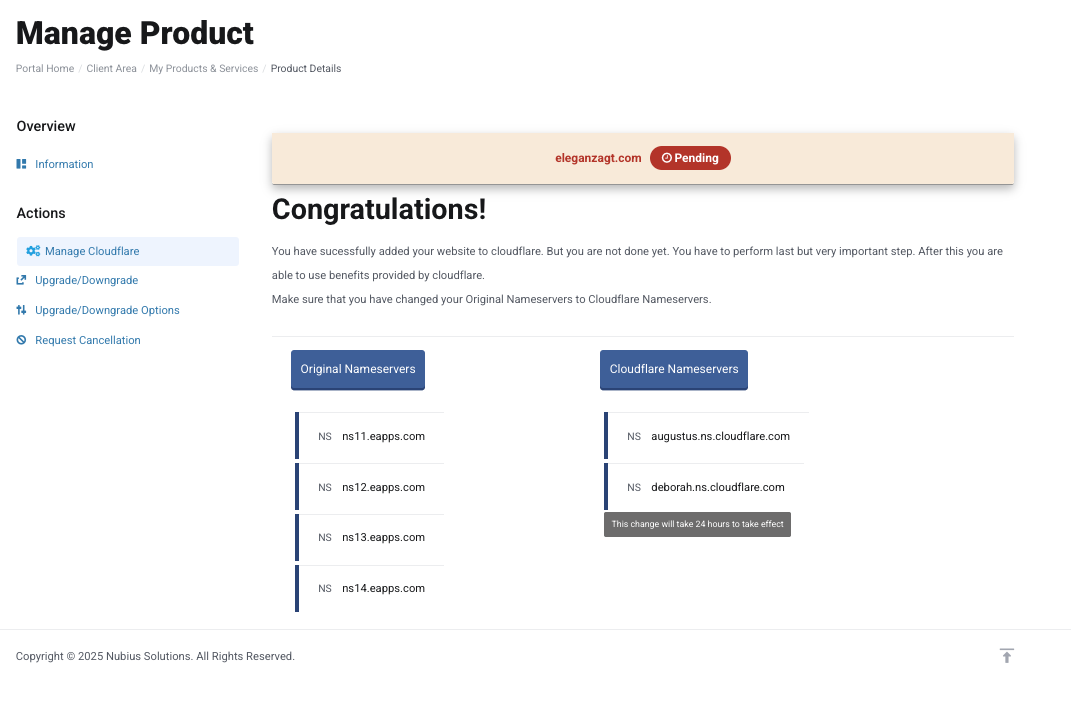
Copy the Cloudflare name servers and update them via your domain registrar.
If you registered your domain with Nubius:
Go to Domains → My Domains.
Click on the three dots next to the domain and select Manage Name Servers.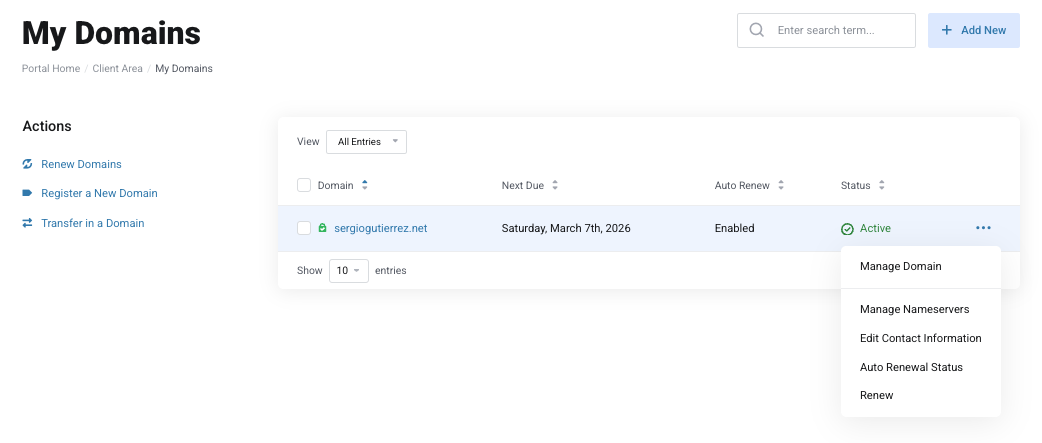
Enter the new Cloudflare name servers and remove the old ones.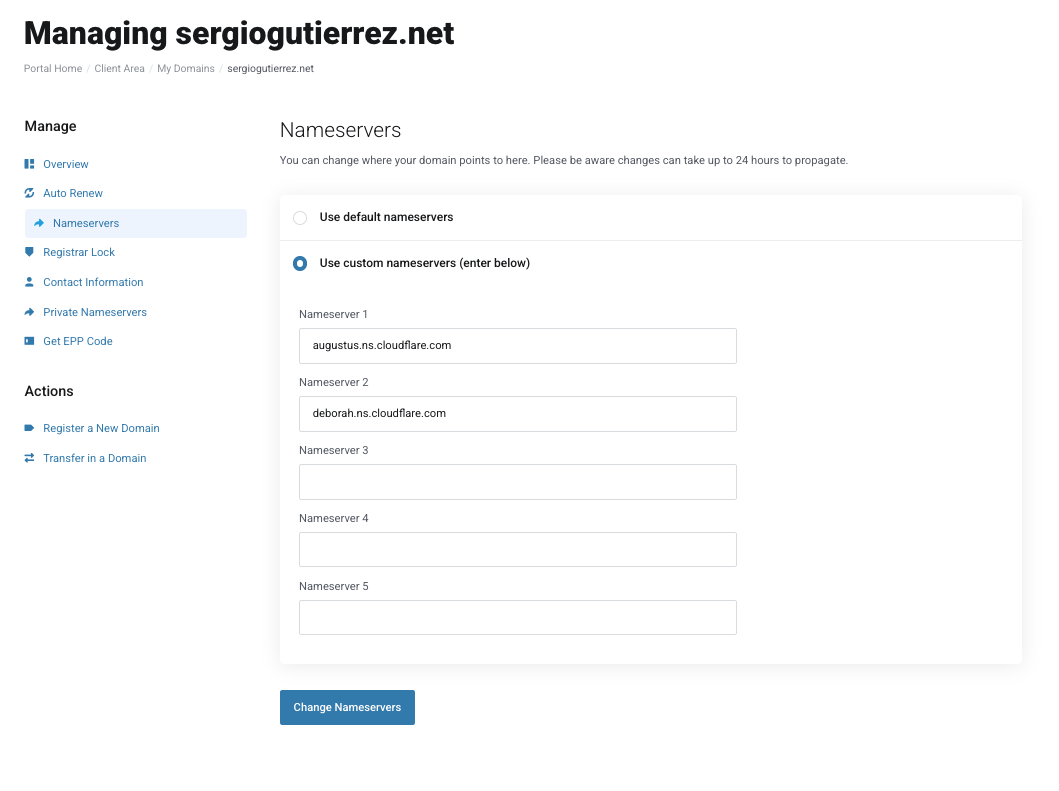
If your domain is registered elsewhere, update the name servers through your registrar. You may need to contact their support if you are not sure how to update the Nameservers.
Once name servers are updated, return to Services → My Services.
Select Nubius CloudShield.
Click Manage Cloudflare.
This opens the Cloudflare dashboard where you can manage:
DNS Records
SSL/TLS Settings
Firewall & Security Rules
Performance Optimizations
Traffic Analytics
Page Rules
And more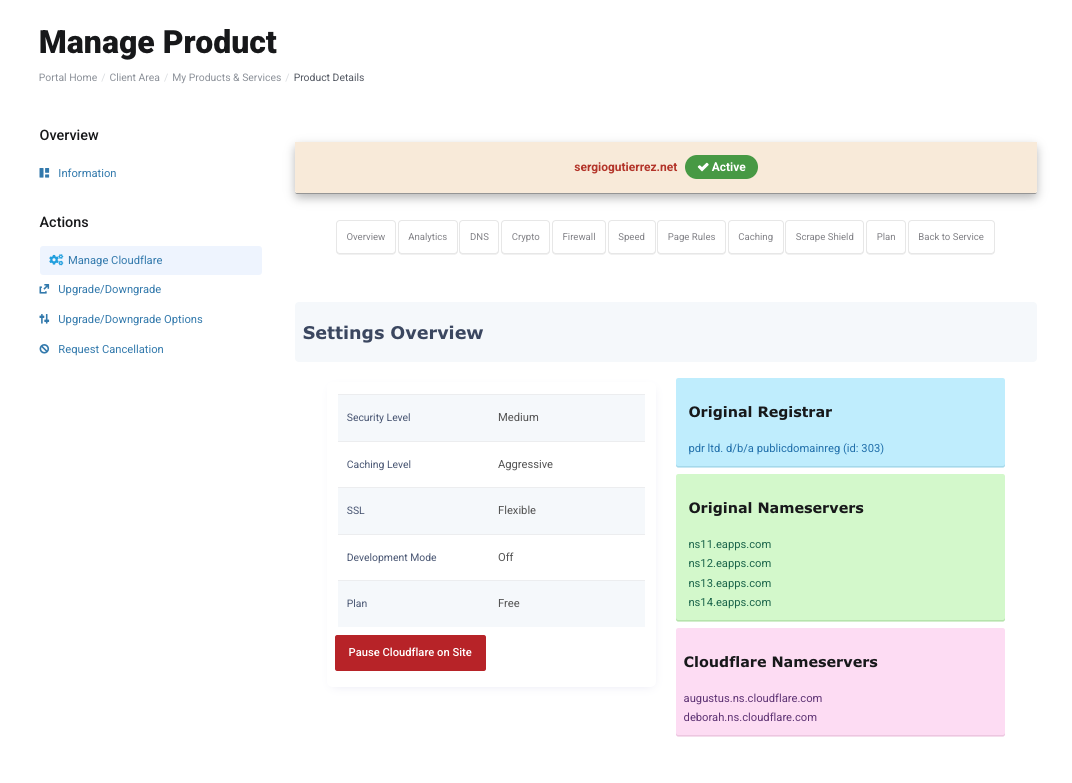
For any questions or additional domain requests, contact sales@support.nubius.io or support@support.nubius.io for any support request